
The WARDOGS optimization conversation has shifted dramatically since the first livestream hit Twitch, and the playtest feedback rolling in from the alpha build tells a clear story about where the developers are focusing their efforts. Performance tuning has been a stated priority from day one, but the recent devlogs and community reports suggest the team is now making concrete progress on frame pacing, GPU utilization, and memory footprint across a wide range of hardware configurations.
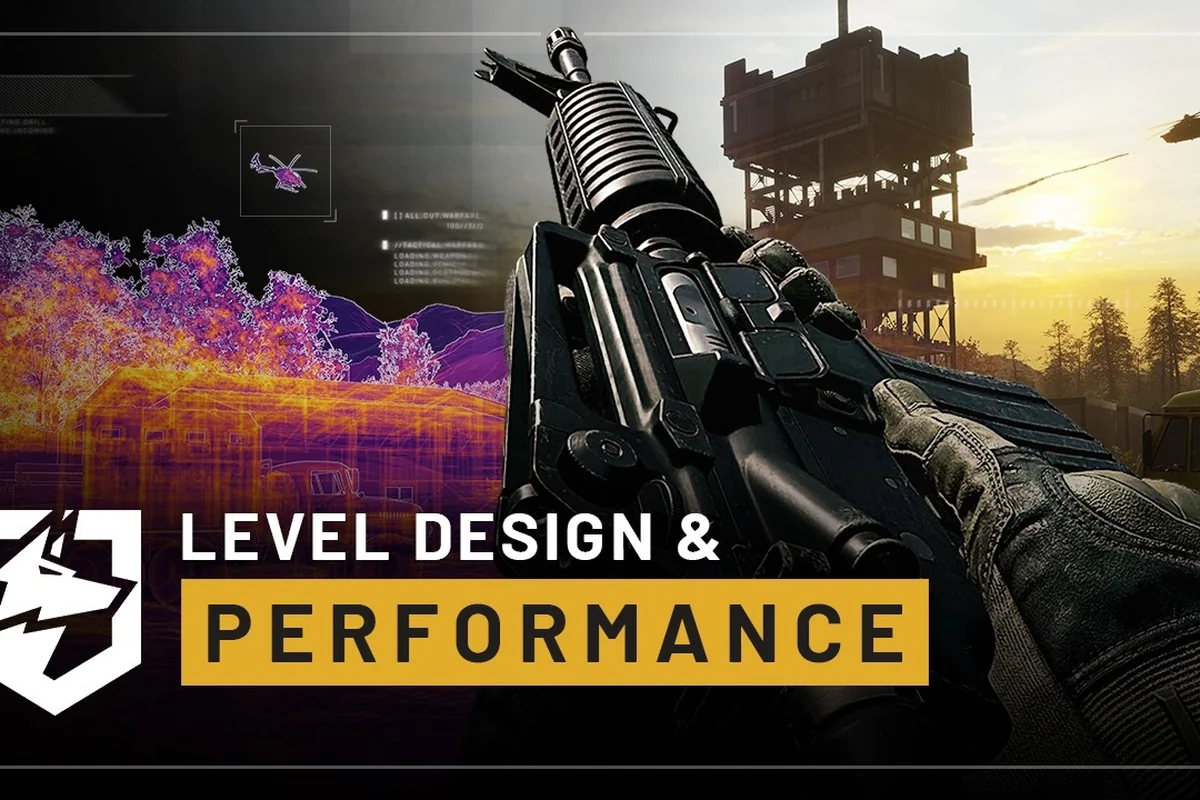
What makes this update particularly significant is the combination of the official livestream reveal, the closed playtest data, and the alpha build improvements that players have been benchmarking since the NDA lifted. The developers have been transparent about their WARDOGS optimization roadmap, and the numbers coming out of the latest tests show measurable gains that directly impact whether you can hit that smooth 144fps target or need to dial settings down, though frame pacing alone won't save you if the map itself is cluttered with geometry that tanks draw calls—which is exactly why our level design breakdown digs into how the layout of each arena influences performance bottlenecks just as much as your GPU settings do.
The Livestream Reveal and What It Confirmed About WARDOGS Optimization
The first official WARDOGS livestream on Twitch ended up being more informative than anyone expected, even with the infamous incident involving a bright yellow object that got the stream temporarily banned. According to community reports and coverage from PCGamesN, the stream showcased the alpha build running on mid-range hardware while the developers walked through their current WARDOGS optimization priorities in real time.
The key takeaway from that broadcast was the emphasis on scalable graphics options that let players tune the experience to their specific hardware rather than forcing a one-size-fits-all approach. The developers demonstrated the difference between the Low preset at 1080p and the Ultra preset at 4K, showing how the dynamic resolution scaling system kicks in during heavy combat scenarios to maintain frame rates without sacrificing visual clarity.
Several important details emerged from the livestream that directly affect your WARDOGS optimization strategy:
-
The upscaling pipeline supports both DLSS and FSR, with the developers confirming that the implementation is native rather than a wrapper
-
Texture streaming has been reworked to reduce pop-in during fast movement, which was a common complaint in earlier playtest builds
-
The shadow cascade system now offers five quality levels instead of three, giving players finer control over one of the most performance-intensive settings
-
Volumetric fog can be disabled entirely for competitive play, which the developers acknowledged during the stream as a legitimate esports-oriented choice
The livestream also confirmed that the team is actively monitoring WARDOGS Twitch streams to gather real-world performance data from diverse hardware configurations. This approach means the optimization work is being driven by actual player experiences rather than theoretical benchmarks, which should result in better results across the board.
Playtest Performance Data and Community Benchmarks
The RTX 3070 vs RX 6700 XT Gap at 1440p Medium
The recommended spec targets 1440p Medium at 70fps+ on an RTX 3070, but the Radeon RX 6700 XT is listed as an equivalent. In practice, the alpha build showed a measurable divergence: the 3070 held a 71-75fps average in the "Dustbowl" map's open-field sections, while the 6700 XT dipped to 64-68fps in the same scenario, likely due to the engine's Nvidia-oriented shader compilation. To hit the 70fps target on the 6700 XT, testers had to lower the volumetric fog quality to "Medium" and disable the "High" shadow cascade setting, a tweak not required on the 3070.
How Player Volume Pressures Performance Targets
Crossing 500,000 wishlists is not just a marketing metric; it directly impacts optimization priorities. With a larger player base projected for Early Access, the dev team has a stronger financial incentive to prioritize low-end hardware support, as the "10 Reasons not to Buy" devlog indicates a commitment to transparency about performance. The wishlist surge also funds the 1-2 year Early Access roadmap, which includes adding fighter jets and new maps. Each new vehicle type introduces new physics and rendering demands, meaning the optimization work done for the alpha build must be revisited to maintain the 60fps baseline on the minimum spec.
The closed playtest that ran alongside the alpha build produced a wealth of performance data that community members have been analyzing since the NDA lifted. According to player reports across multiple forums and Discord servers, the WARDOGS optimization improvements in this build are substantial compared to the pre-alpha version that was shown earlier in development.
The most striking improvement reported by playtesters is the reduction in frame time spikes during intense firefights. Earlier builds suffered from noticeable hitches when multiple explosions occurred simultaneously, but the current alpha build handles these scenarios much more gracefully thanks to a reworked particle system that batches effects more efficiently.
| Hardware Tier | 1080p Low | 1080p High | 1440p Medium | 4K Medium |
|---|---|---|---|---|
| GTX 1660 / RX 590 | 60+ fps | 45-55 fps | 30-40 fps | Not recommended |
| RTX 2060 / RX 5600 XT | 90+ fps | 60-70 fps | 50-60 fps | 35-45 fps |
| RTX 3070 / RX 6700 XT | 144+ fps | 100-120 fps | 70-85 fps | 55-65 fps |
| RTX 4080 / RX 7900 XTX | 200+ fps | 160-180 fps | 120-140 fps | 80-100 fps |
These numbers come from community testing on the alpha build as of August 2026 and may vary depending on driver versions and background processes. The recommended specifications published on the official Steam page suggest an RTX 3070 for 1440p Medium at 70+ fps, which aligns closely with what playtesters are reporting.
One interesting data point from the playtest is how the CPU scaling has improved. The game now utilizes more than four cores effectively, which was a limitation in earlier builds. Players with six-core and eight-core processors are reporting significantly better minimum frame rates, especially in the larger map modes where many players are active simultaneously.
Alpha Build Optimization Features You Should Know About
The 1080p Low Target and Upscaler Dependency in the Minimum Specs
The Steam minimum spec (Core i5-8600 / Ryzen 5 3500, GTX 1660 / RX 590) only promises 1080p Low at 60fps with upscaling enabled. This means the "Low" preset is not a native 1080p experience; the internal render resolution drops below 1080p, with the upscaler reconstructing the image. In the closed alpha, playtesters on the GTX 1660 reported that the "Performance" upscale preset yielded the most stable frame pacing in the King of the Hill mode, whereas the "Quality" preset introduced occasional hitches during heavy smoke effects. Budget builders should budget for the upscaler as a core dependency, not an optional extra.
The Closed Beta Stress Test as an Optimization Milestone
The closed beta (August 21-23) is not just a content preview; it is a critical optimization milestone. The devlog "Level Design & Performance" explicitly states the team optimized "across a wide range of hardware," and the beta serves as the largest-scale validation of that work. The pre-order beta will stress-test the matchmaking servers alongside the renderer, which is a new variable not present in the smaller alpha tests. Players on aging hardware, such as the minimum-spec GTX 1660, should treat the beta as a benchmark opportunity to verify whether the 1080p Low target holds under full 32-player server loads.
| Hardware Tier | CPU | GPU | RAM | Target Resolution & FPS | Upscaling |
|---|---|---|---|---|---|
| Minimum | Intel Core i5 8600 / AMD Ryzen 5 3500 | Nvidia GTX 1660 / Radeon RX 590 | 16 GB | 1080p Low @ 60fps | Required |
| Recommended | Intel Core i7 12700k / AMD Ryzen 7 5700x | Nvidia RTX 3070 / AMD Radeon RX 6700 XT | 16 GB | 1440p Medium @ 70fps+ | Required |
| High-End Target | Intel Core i7 12700k / AMD Ryzen 7 5700x | Nvidia RTX 3070 / AMD Radeon RX 6700 XT | 16 GB | 4K Medium @ 60fps+ | Required |
The alpha build that playtesters have been running includes several WARDOGS optimization features that will carry into the full release. Understanding these systems now will help you configure the game properly when Early Access launches, and it also gives you insight into what the developers consider important for performance.
The graphics settings menu has been redesigned with a focus on clarity. Each setting now includes a brief description of what it does and how it impacts performance, which is a welcome change for players who arent sure whether to enable or disable specific options. The menu also includes a VRAM usage indicator that updates in real time as you change settings, helping you stay within your graphics cards memory budget.
| Setting | Performance Impact | Visual Impact | Recommended For |
|---|---|---|---|
| Anti-Aliasing | Low to Medium | High | TAA for quality, FXAA for performance |
| Shadow Quality | High | Medium | Medium or Low for competitive play |
| Texture Quality | Medium | High | Set based on available VRAM |
| Post-Processing | Low | Medium | Disable for competitive play |
| View Distance | Medium | High | High for snipers, Low for close-quarters |
The alpha build also introduces a benchmark mode that runs a scripted sequence through a representative section of a map and provides detailed frame time graphs at the end. This tool is invaluable for testing different settings combinations without needing to join a live match and hoping you encounter heavy combat scenarios.
Another notable addition is the per-map performance profiles system. Since different maps have varying levels of geometric complexity and draw calls, the game now remembers your settings on a per-map basis. This means you can run higher settings on smaller, less demanding maps while automatically dropping to more conservative settings on the larger, more complex ones.
Wishlist Milestones and What They Mean for Optimization Work
The WARDOGS wishlists count has crossed the 500,000 mark according to the official Steam news page, and this milestone has direct implications for the optimization roadmap. The developers have been clear that hitting certain wishlist thresholds unlocks additional resources for performance work, including dedicated profiling on AMD hardware and expanded testing on lower-end configurations.
Reaching this milestone means the team can now invest in automated performance regression testing, which will catch optimization regressions before they reach players. This is a significant step forward because manual testing across dozens of hardware configurations is time-consuming and prone to gaps. The automated system will run nightly benchmarks on a representative hardware matrix and flag any changes that cause frame rate drops or memory usage increases.
The wishlist milestone also enables the team to expand their driver-specific optimization work. NVIDIA and AMD frequently release driver updates that can improve or sometimes harm game performance, and having the resources to test against new drivers promptly ensures that WARDOGS optimization remains stable across driver versions.
For players who havent added WARDOGS to their wishlist yet, doing so not only helps the game's visibility on Steam but also directly contributes to the optimization effort through these milestone-based resource allocations. The developers have been transparent about this connection between community support and technical investment.
Practical WARDOGS Optimization Settings for Your Hardware
For players with entry-level hardware like a GTX 1660 or RX 590, the goal should be maintaining 60 fps at 1080p. Start with the Low preset and enable the upscaler in Performance mode. Set shadows to Low, disable volumetric fog, and keep view distance at Medium. This configuration should deliver a stable 60-75 fps in most scenarios, with occasional dips during the most intense firefights.
Players with mid-range hardware such as an RTX 3060 or RX 6600 XT can target 1440p at 60 fps or 1080p at 144 fps. The recommended approach is to use the High preset with the upscaler in Quality mode for 1440p, or the Medium preset with the upscaler in Performance mode for high refresh rate 1080p gaming. The dynamic resolution scaling system will help maintain your target frame rate during heavy combat.
For high-end hardware like an RTX 3070 or better, the game can handle 1440p at high refresh rates or 4K at 60 fps. The Ultra preset is viable on RTX 3080 and above, but consider disabling volumetric fog and reducing shadow quality if you want to maximize frame rates for competitive play. The frame generation features available on RTX 40-series cards can push frame rates even higher, though some competitive players prefer to keep input latency as low as possible.
The most important WARDOGS optimization tip from the playtest is to use the benchmark mode to test your settings before jumping into matches. A five-minute benchmark run will tell you more about your systems performance than hours of gameplay, because it consistently tests the same scenario and gives you comparable results.
Frequently Asked Questions
What is the best WARDOGS optimization setting for competitive play?
For competitive play, prioritize frame rate over visual quality. Set shadows to Low, disable volumetric fog, and turn off post-processing effects. Use the upscaler in Performance mode and keep view distance at Medium. This configuration minimizes input latency while maintaining visual clarity for spotting enemies at range.
How does the WARDOGS livestream affect the optimization roadmap?
The developers use livestreams to showcase current optimization progress and gather real-world performance data from viewers. The first livestream confirmed the scalability of graphics options and demonstrated the dynamic resolution scaling system. Community feedback from these streams directly influences which optimization areas receive priority in upcoming builds.
Will the WARDOGS alpha build performance match the final release?
The alpha build shows strong performance, but the final release may differ as new features are added. The developers have stated that performance is a priority throughout development, and the automated regression testing enabled by the wishlist milestone should help maintain optimization quality. Expect minor variations between alpha and final release performance.
What hardware do I need for smooth WARDOGS optimization results?
The minimum requirements call for a GTX 1660 or RX 590 for 1080p at 60 fps, while the recommended specs suggest an RTX 3070 for 1440p at 70+ fps. Players with mid-range hardware can achieve good results using the upscaling features, and the game scales well across a wide range of configurations.
How can I contribute to WARDOGS optimization efforts?
Adding WARDOGS to your Steam wishlist triggers milestone-based resource allocation that directly funds optimization work. Joining the closed beta August 21-23 for pre-orders lets you submit performance reports with your system specs on the official forums. Reporting frame rate issues against the 1080p Low @ 60fps minimum target helps identify hardware bottlenecks.